
Introduction
The Unmind Analytics Suite provides Admin users with real-time, self-serve visibility into meaningful data across your organisation's Unmind platform. This gives you instant access to performance metrics for Platform, Nova and Therapy & Coaching.
To access the Analytics Suite, log in to your Unmind platform, click your name in the bottom left corner of your screen and then select "Analytics Suite".
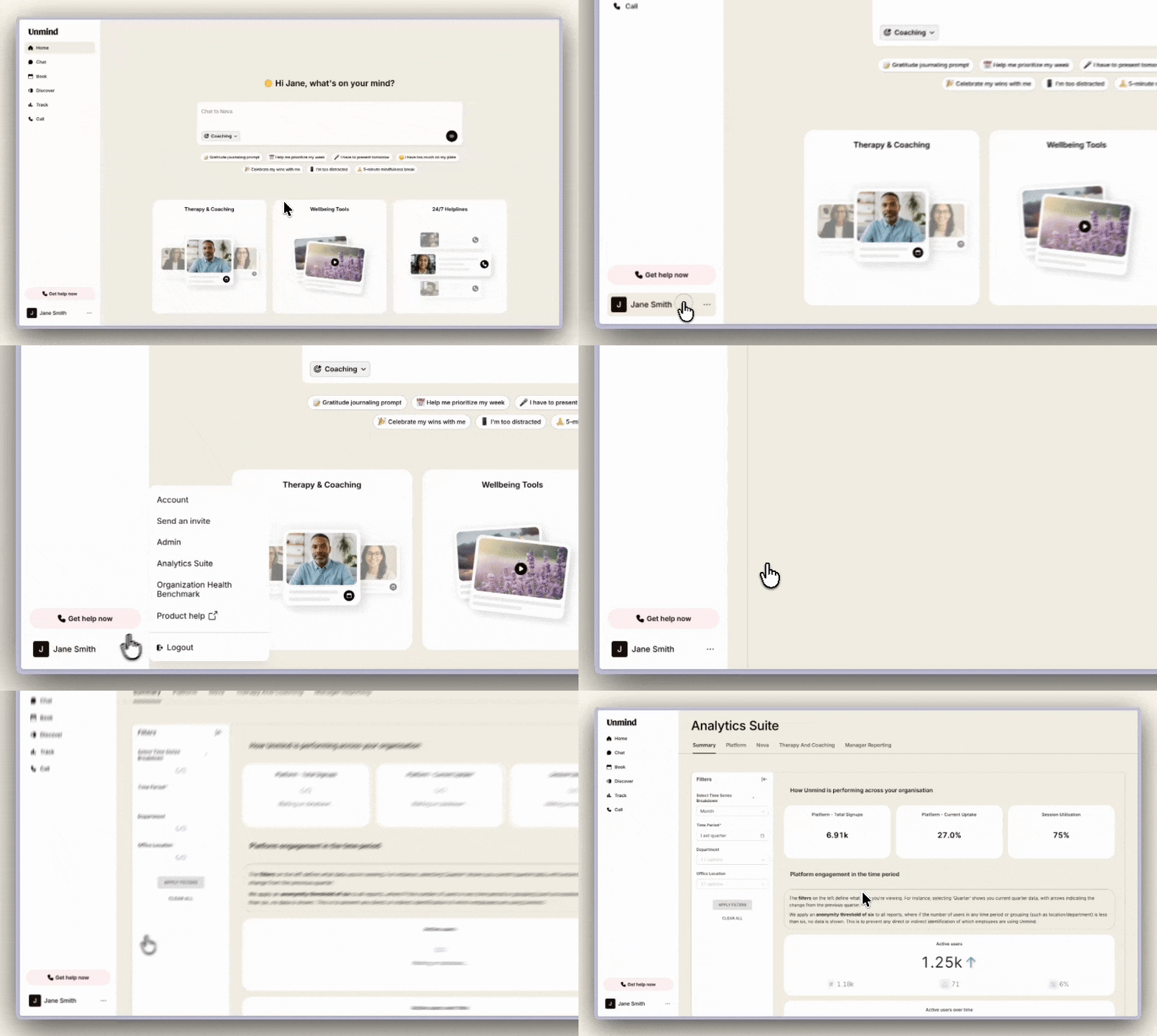
The Analytics Suite is designed for desktop usage. All data is anonymised in accordance with our standard anonymisation thresholds and is updated nightly (refreshed each night at 3am UK time, resulting in approximately a 1-day data lag)
Understanding your dashboards
The Analytics Suite contains separate tabs for different areas of your platform:
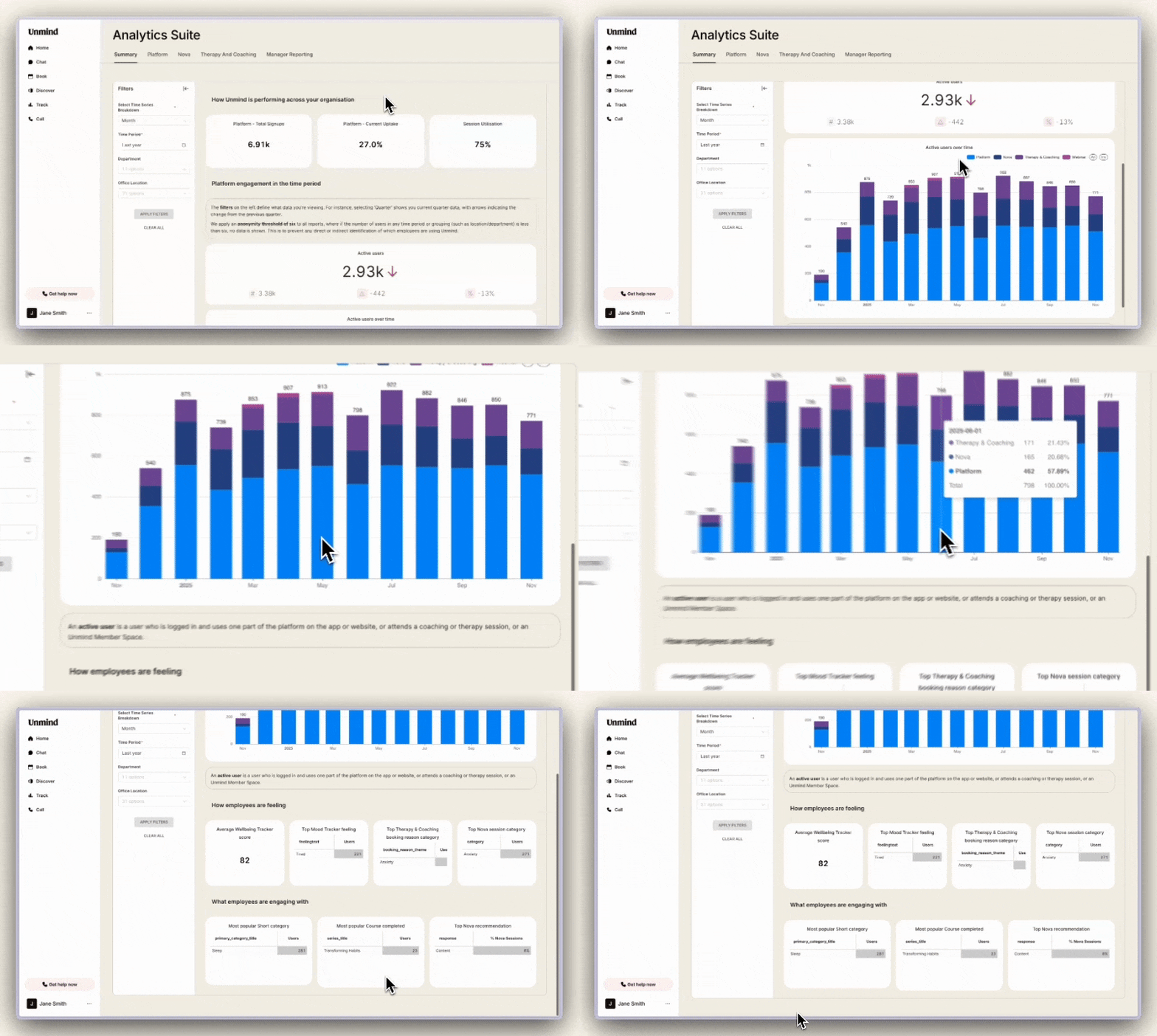
Summary
Only visible if you have both Nova and Therapy & Coaching enabled
Provides an aggregate view across your entire Unmind offering, giving you a high-level overview of overall platform performance and engagement.
Platform
Visible to all clients
The Platform tab gives you insights into how your organisation is engaging with Unmind's core content and wellbeing features.
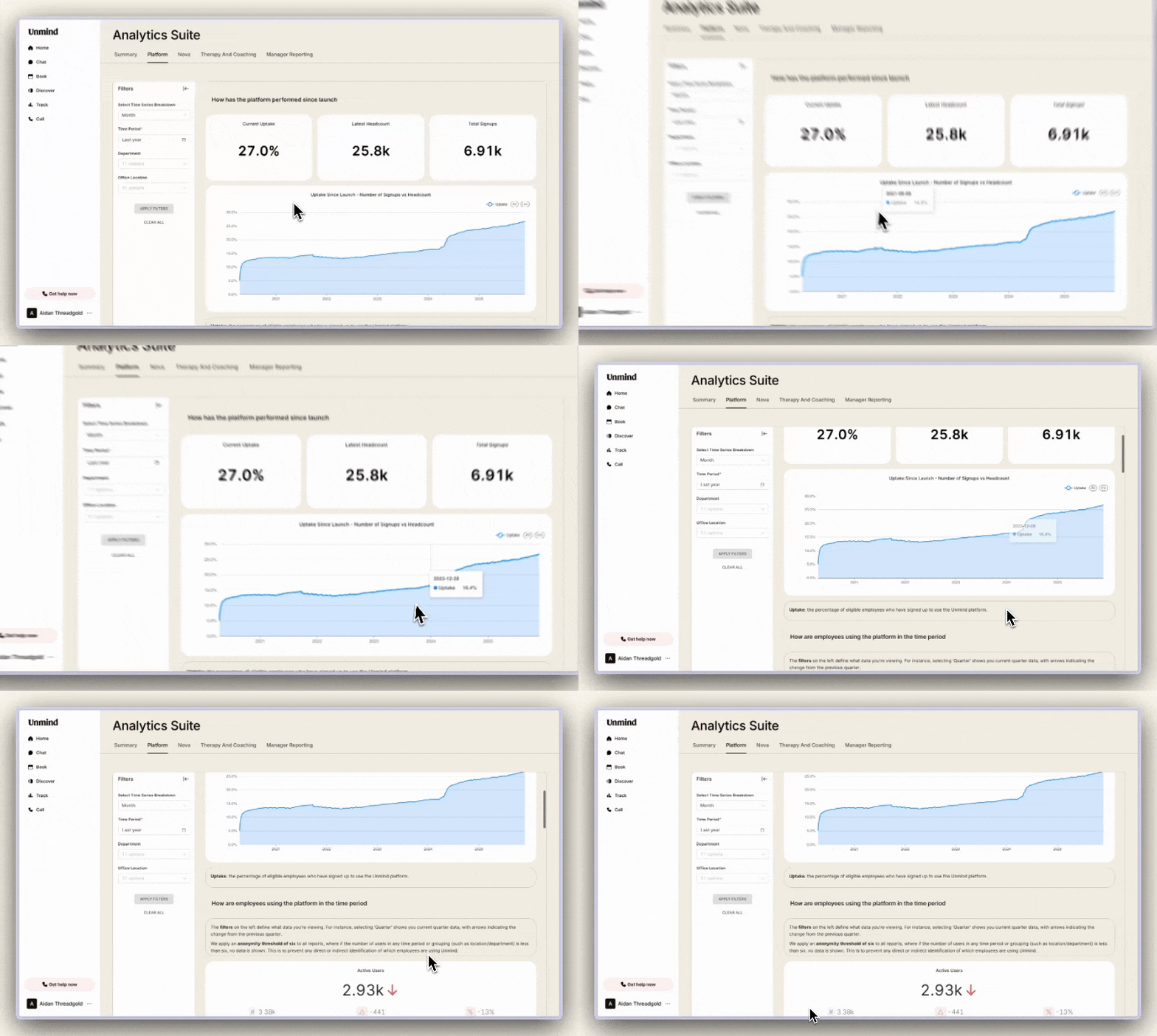
- Uptake & Performance Since Launch
- See your total signups and overall platform uptake. This helps you understand adoption rates across your organisation.
- Employee Activity Over Time
- View the number of active users by department and location across your selected time period. Users who log in multiple times are counted only once.
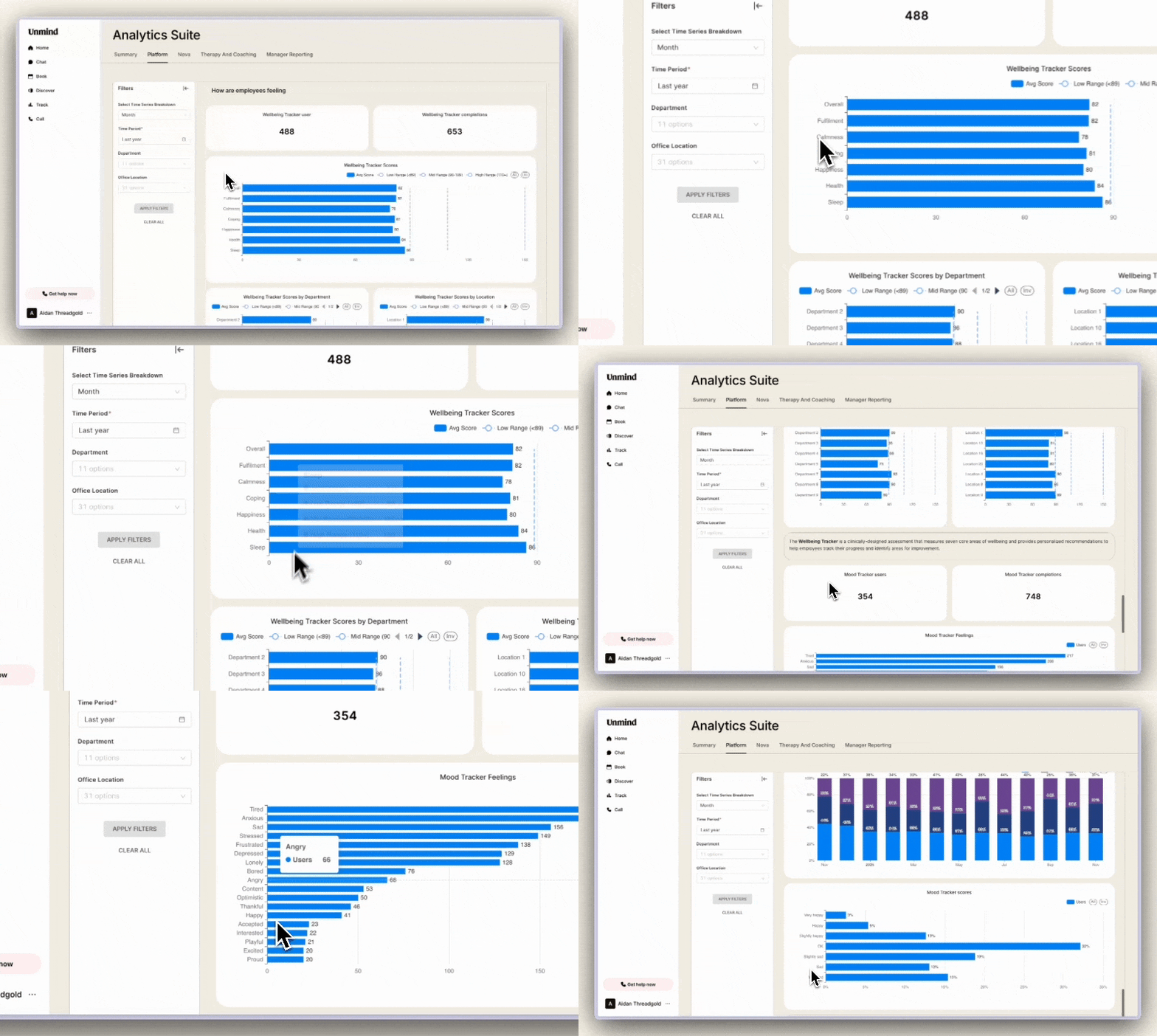
- Employee Wellbeing
- Track how employees are engaging with the Wellbeing Tracker and Mood Tracker, including their average wellbeing scores across key categories such as Sleep, Focus and Energy.
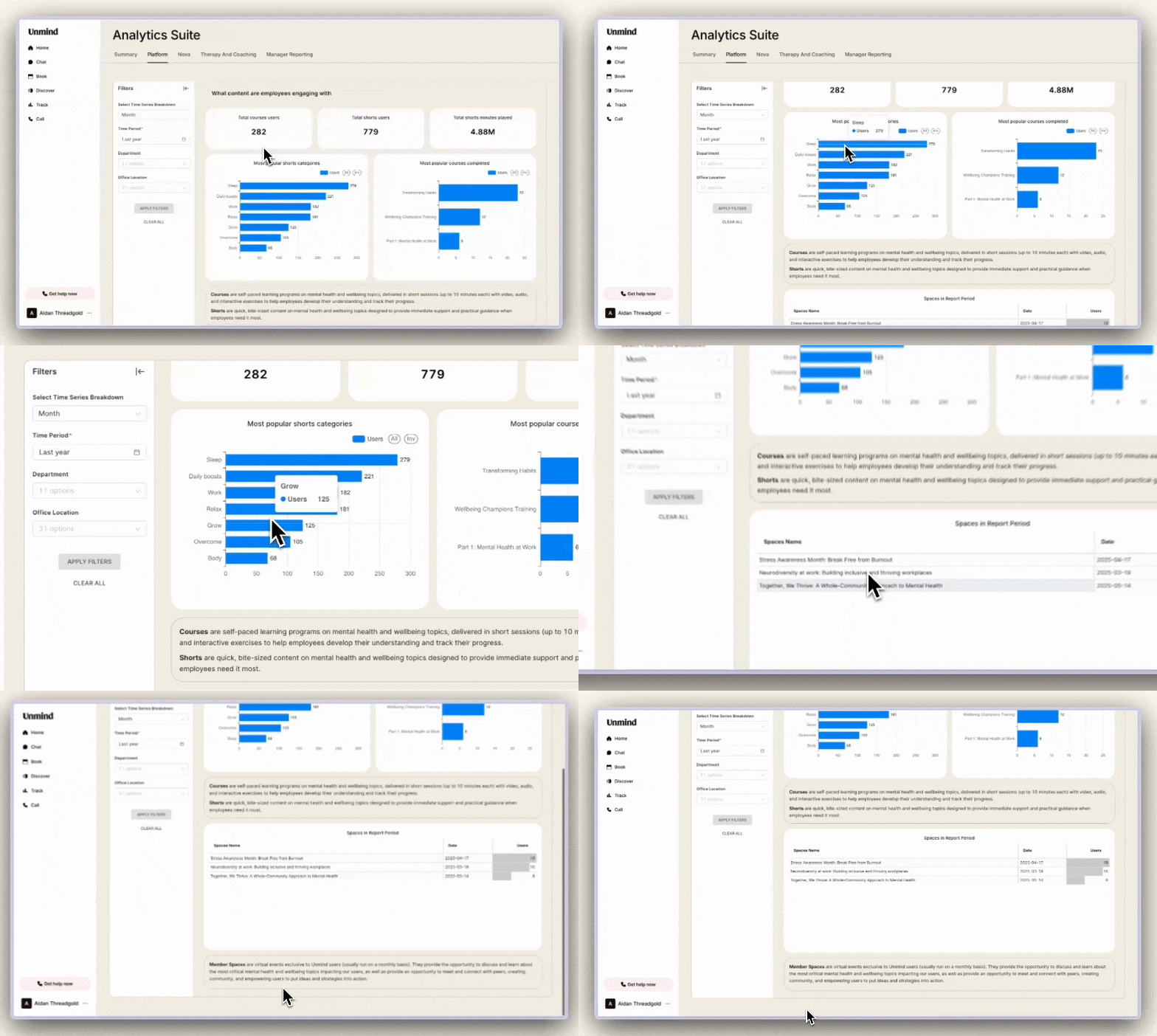
- Content Engagement
- See which content your employees are engaging with:
- Courses - Total time spent, number of courses completed, and your most popular courses
- Shorts - Total playtime, top 3 shorts viewed, and top 3 most popular short categories
- Member Spaces - Attendance figures for community spaces (counted by matching email addresses to registered accounts)
- See which content your employees are engaging with:
Nova
Only visible if Nova is enabled
The Nova tab shows how your organisation is using the AI wellbeing coach.
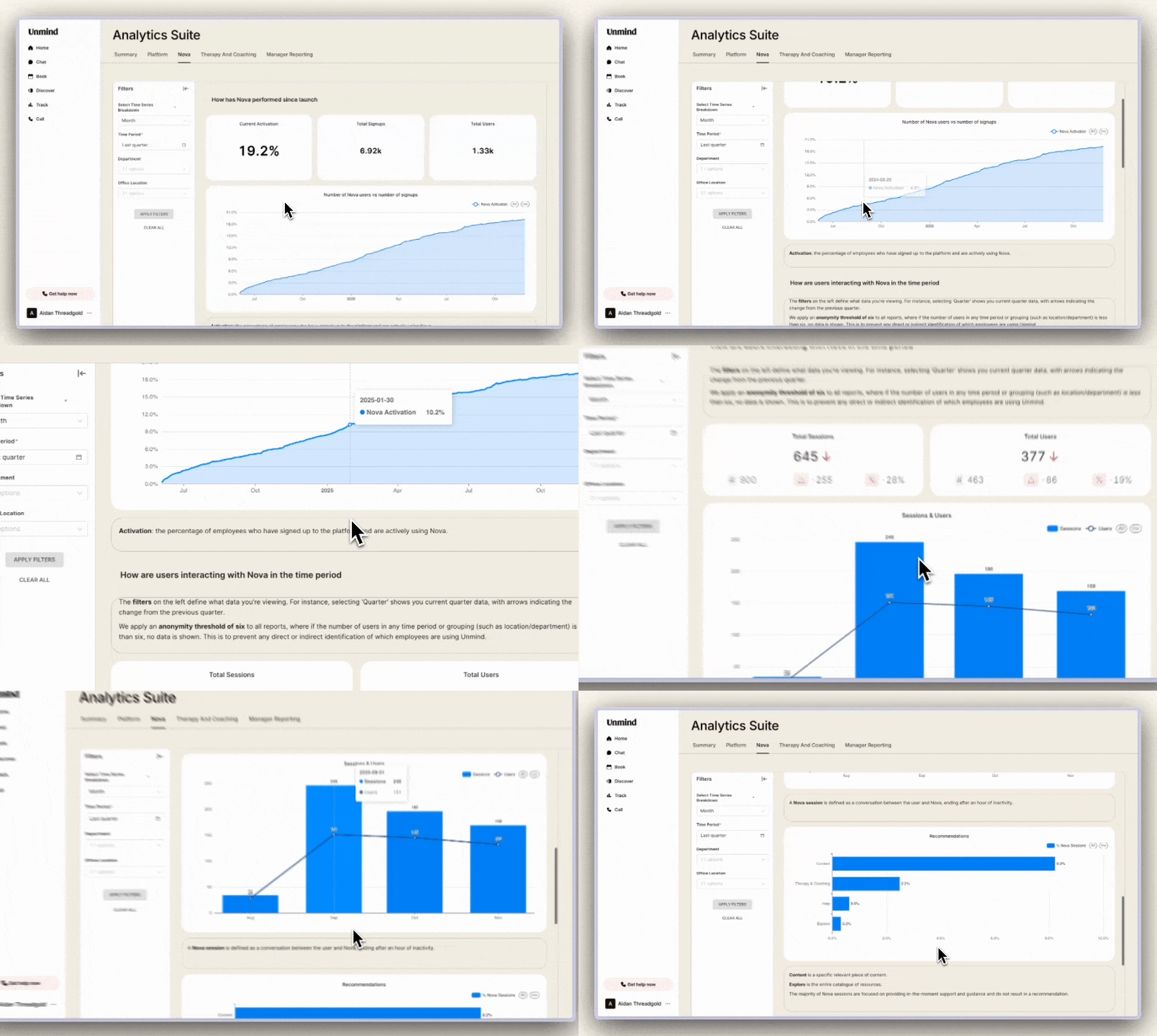
- How Nova is performing since launch
- View activation rates and compare total Nova users against your total signups to understand adoption.
- How are users interacting with Nova
- See the total number of Nova sessions and unique users interacting with Nova, plus high-level groupings of recommendations given by Nova.
- What topics are employees discussing with Nova
- Understand what employees are talking about with Nova through high-level categorisation:
- Life Context – Topics related to life circumstances and events
- Health & Wellbeing – Mental and physical health related discussions
- Work – Work-related concerns and challenges
- Understand what employees are talking about with Nova through high-level categorisation:
More information on the categories and category types can be found here.
Therapy & Coaching
Only visible if Therapy & Coaching is enabled
The Therapy & Coaching dashboard provides visibility into your therapy and coaching usage and performance.
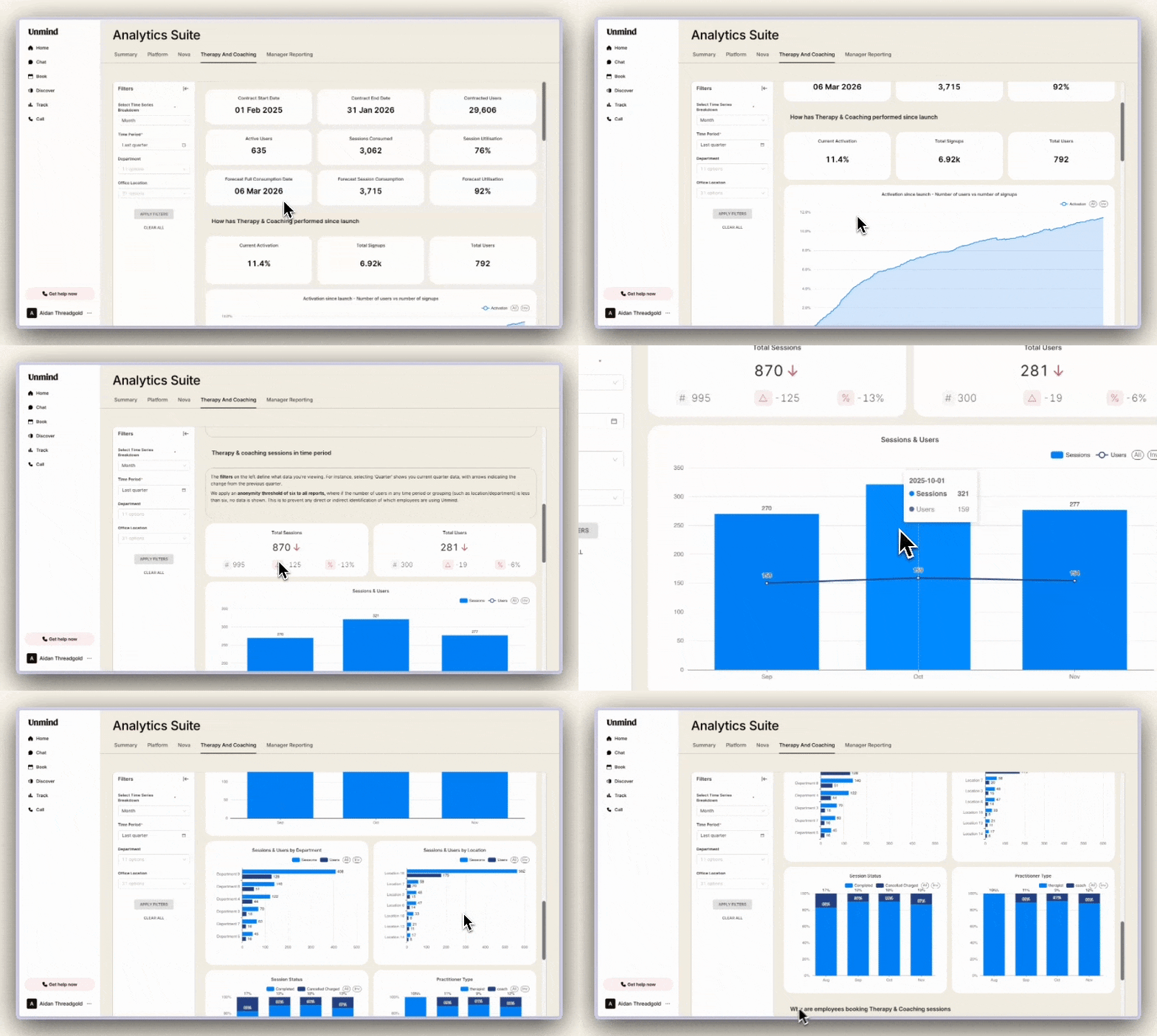
- Contract information, usage and forecast
- Understand current and forecasted session utilisation at a glance.
- How has Therapy & Coaching performed since launch
- Track activation rates by comparing total therapy and coaching users against your total signups.
- Therapy & coaching sessions usage
- View your session activity across your selected time period:
- Total number of sessions and unique users
- Completed vs. cancelled sessions
- Split between practitioner type (Therapist or Coach)
- View your session activity across your selected time period:
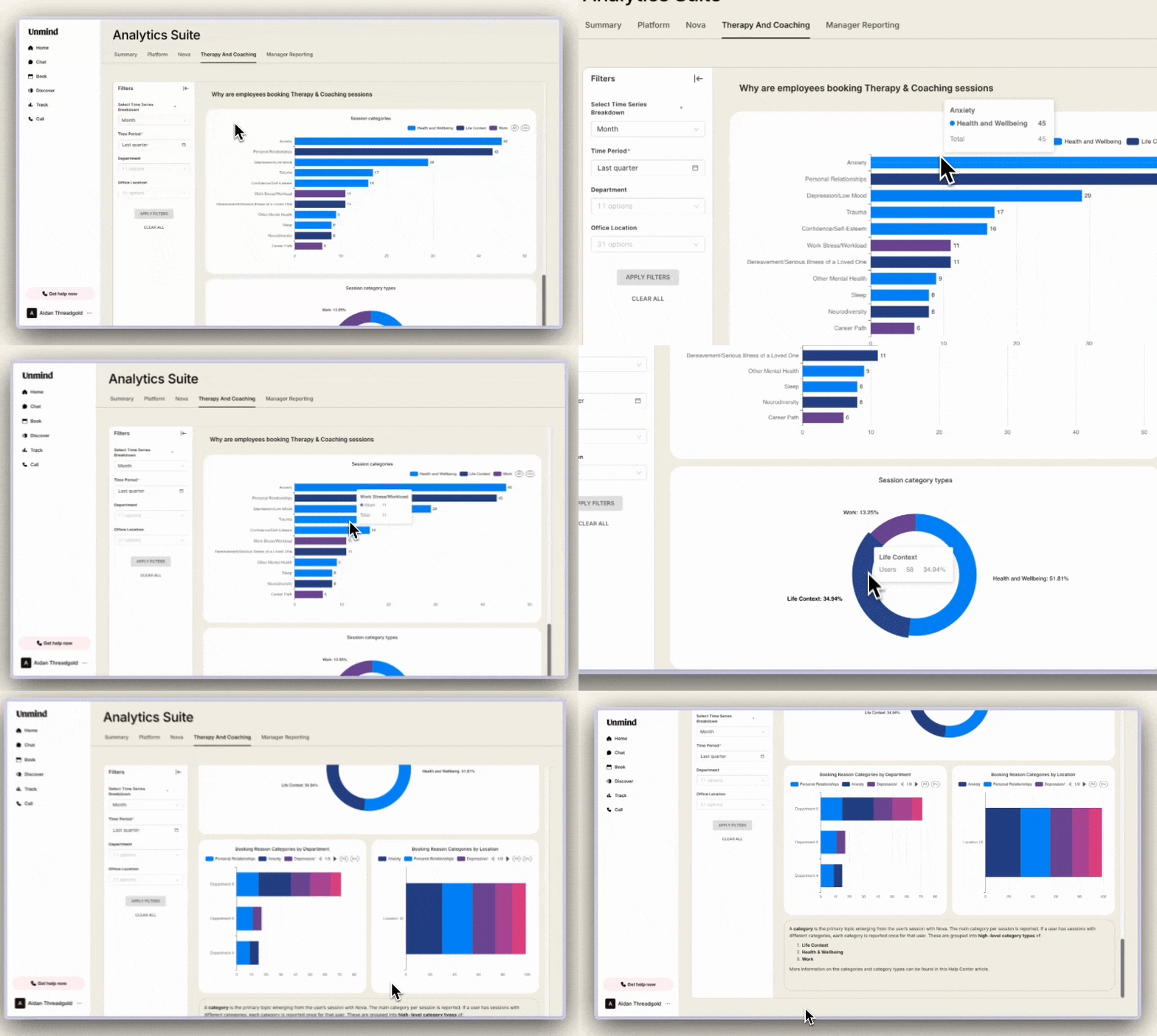
- Why are employees booking Therapy & Coaching sessions
- Understand the reasons employees are seeking support through high-level categorisation:
- Life Context – Topics related to life circumstances and events
- Health & Wellbeing – Mental and physical health related discussions
- Work – Work-related concerns and challenges
- Understand the reasons employees are seeking support through high-level categorisation:
Data Filtering
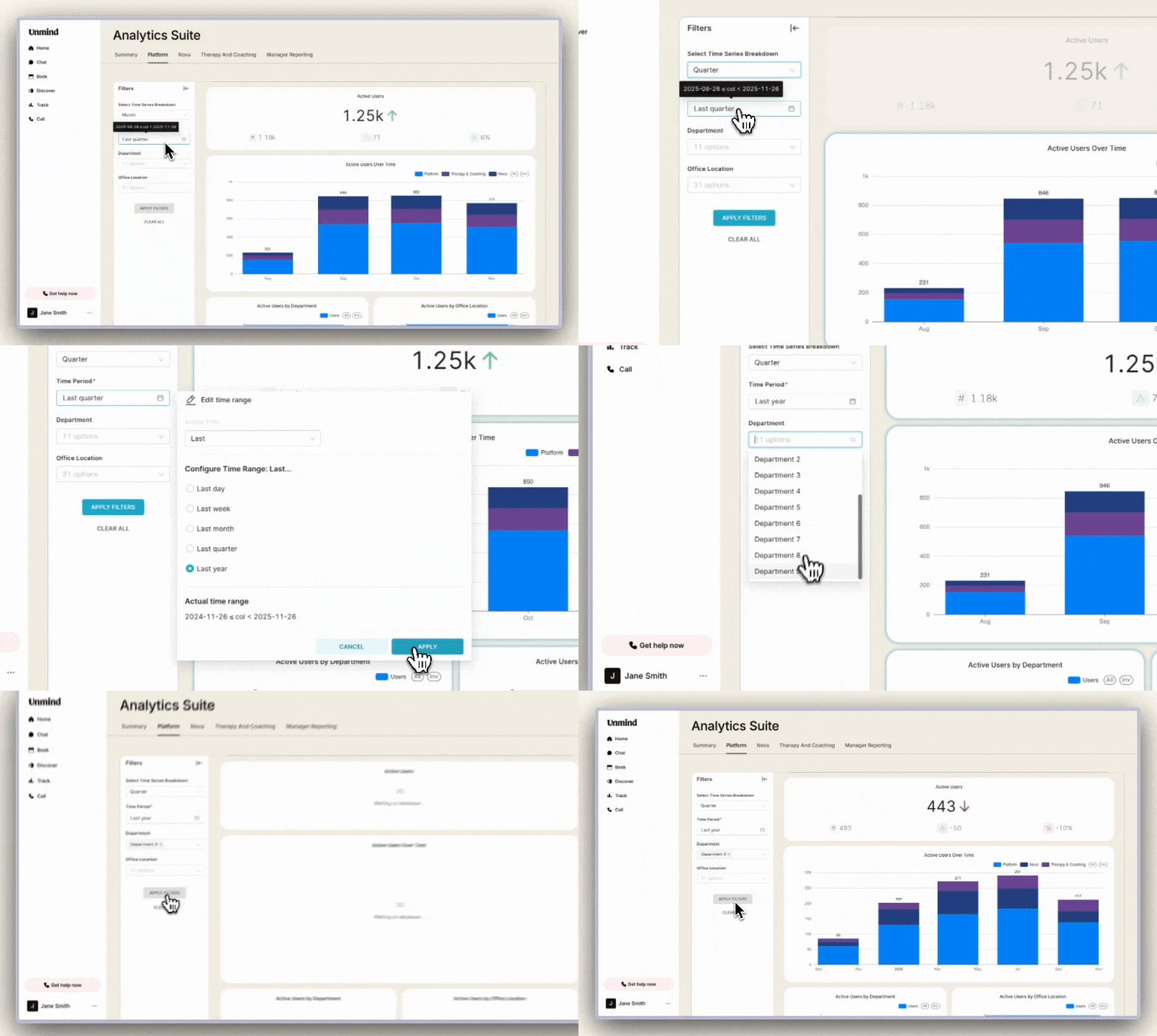
Using the filters
You can filter data on all tabs by:
- Time series – Month, Week, Quarter or Year
- Time period – Set a custom date range or select from quick filters (Last year, Current month, etc.)
- Department
- Location
The filters can also be combined to dive deeper into specific segments of your organisation.
Your selected filters will not persist when you navigate to a different tab.
Static vs Filterable data
Each tab contains two types of data. At the top of the page, you'll find performance since launch metrics (such as Current Activation, Total Signups and Total Users) - these are static and won't change when you apply filters. Below that, you'll find filterable data that responds to your selections. When you adjust your time period, department or location filters, the charts and metrics below the top section will update to reflect your chosen filters.
Data anonymisation
To protect employee privacy, we do not display data if fewer than 6 unique employees have been active during your selected time period.
Exception: The percentage split between cancelled and completed Therapy & Coaching sessions is displayed without anonymisation thresholds, to accurately show the proportion of each relative to the other.